
Clock in. Watch what you’ve earned climb.
A time clock for people paid by the hour. One tap starts the shift; your pay updates on the Lock Screen while it runs; one tap cashes out.
Free to use. No ads. 7 days free on Pro.
Features
Live, the moment you clock in
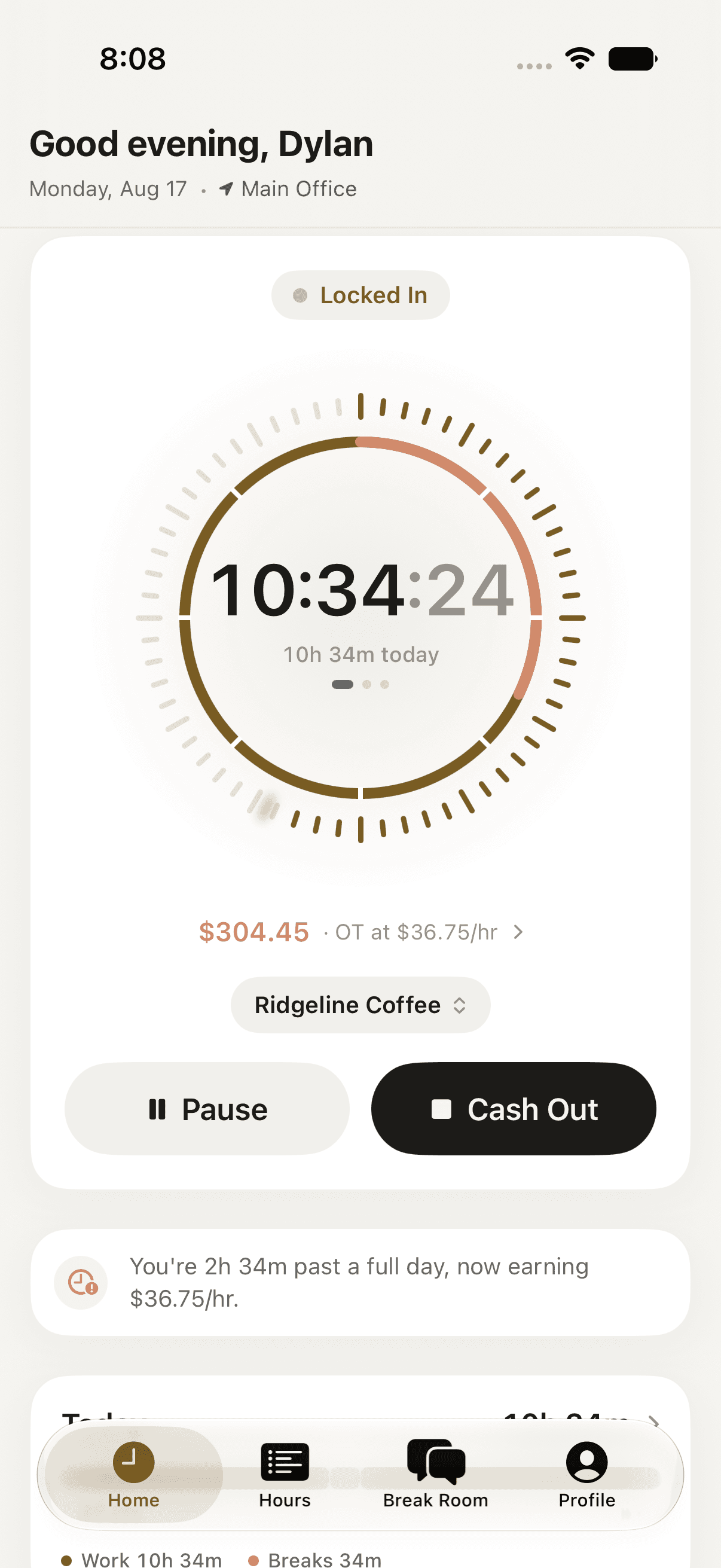
Clock in once. Watch what you've earned climb in real time, wherever you happen to be looking.
One tap, live
Clock in, take a break, resume, clock out, with a live timer and a running total of what you've made today.
Home Screen and Lock Screen
A widget and a Live Activity that put the timer, and the pay, where you'll actually see it, without opening the app.
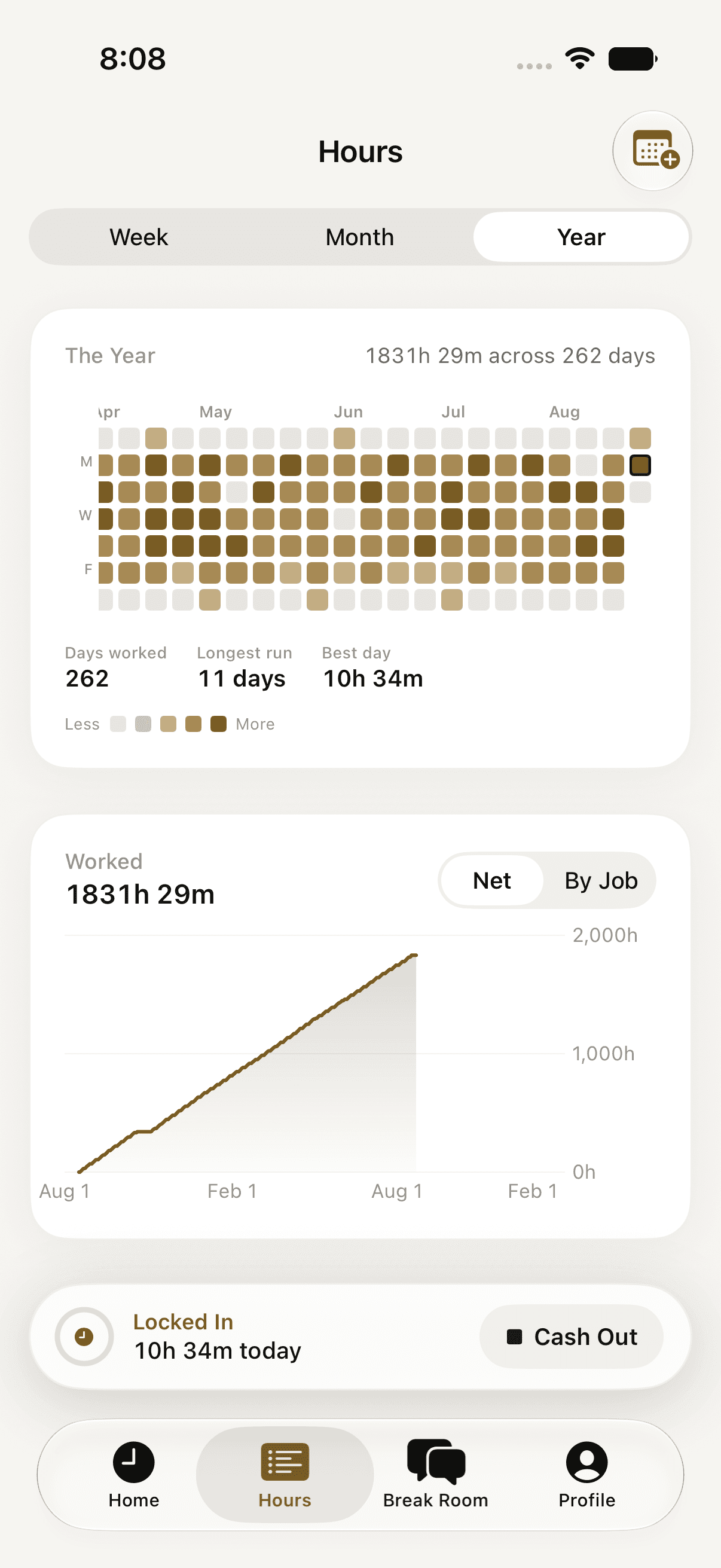
A timesheet you can actually read
Weekly and monthly charts, a year in one grid, a timeline of every day, and edits that keep an audit trail.
Overtime that follows your rules
Daily and weekly thresholds, your own overtime rate, paid or unpaid breaks, set once, on the job, not the person.
An Apple Watch app
A remote control for the clock your phone owns. Start and stop a shift from your wrist.
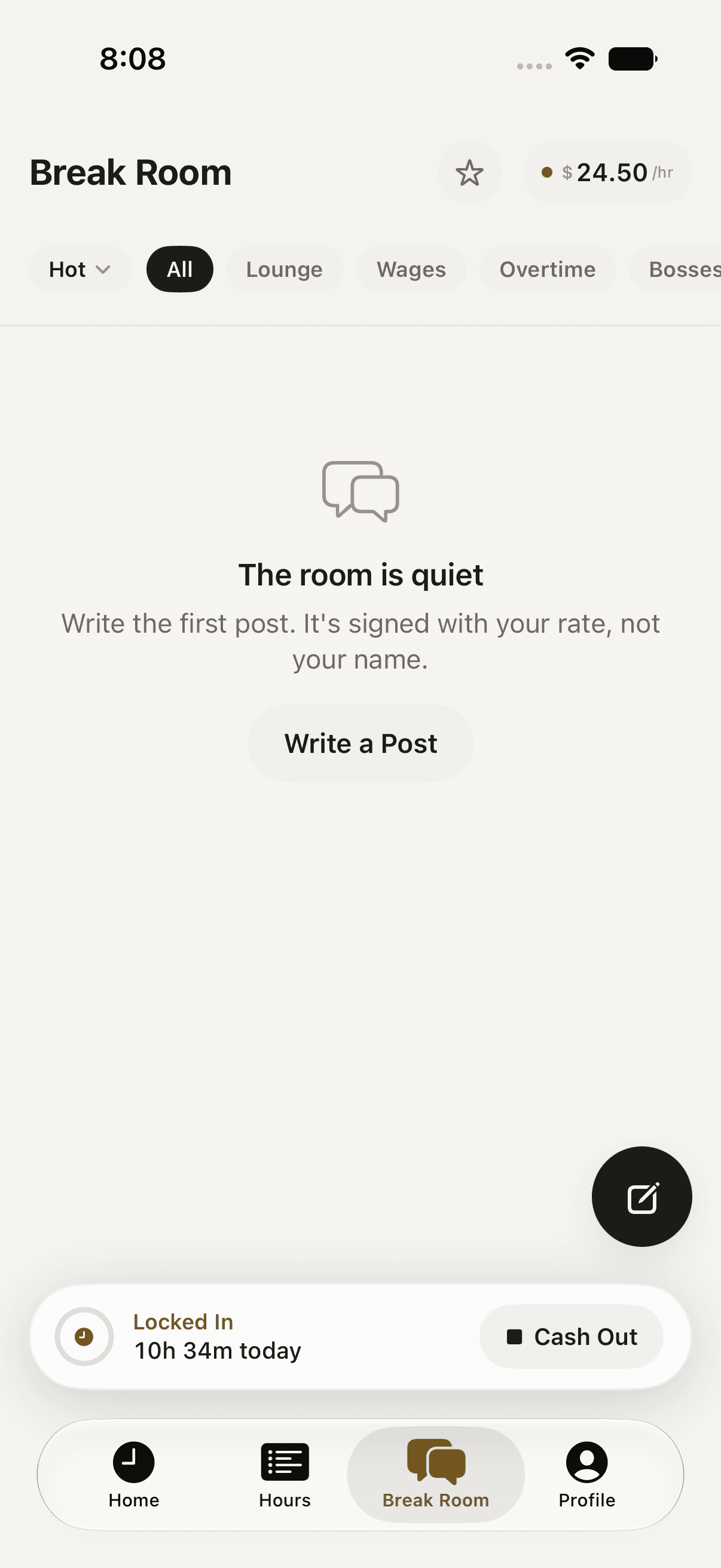
Talk pay, not names
An anonymous board where everyone is signed by what they make an hour instead of by name. Optional, and separate from your timesheet.
Signed by rate, not name
Every post carries your hourly pay, never your identity or your employer.
Off by default
Entirely optional, and kept separate from your private timesheet.
Clocked Pro
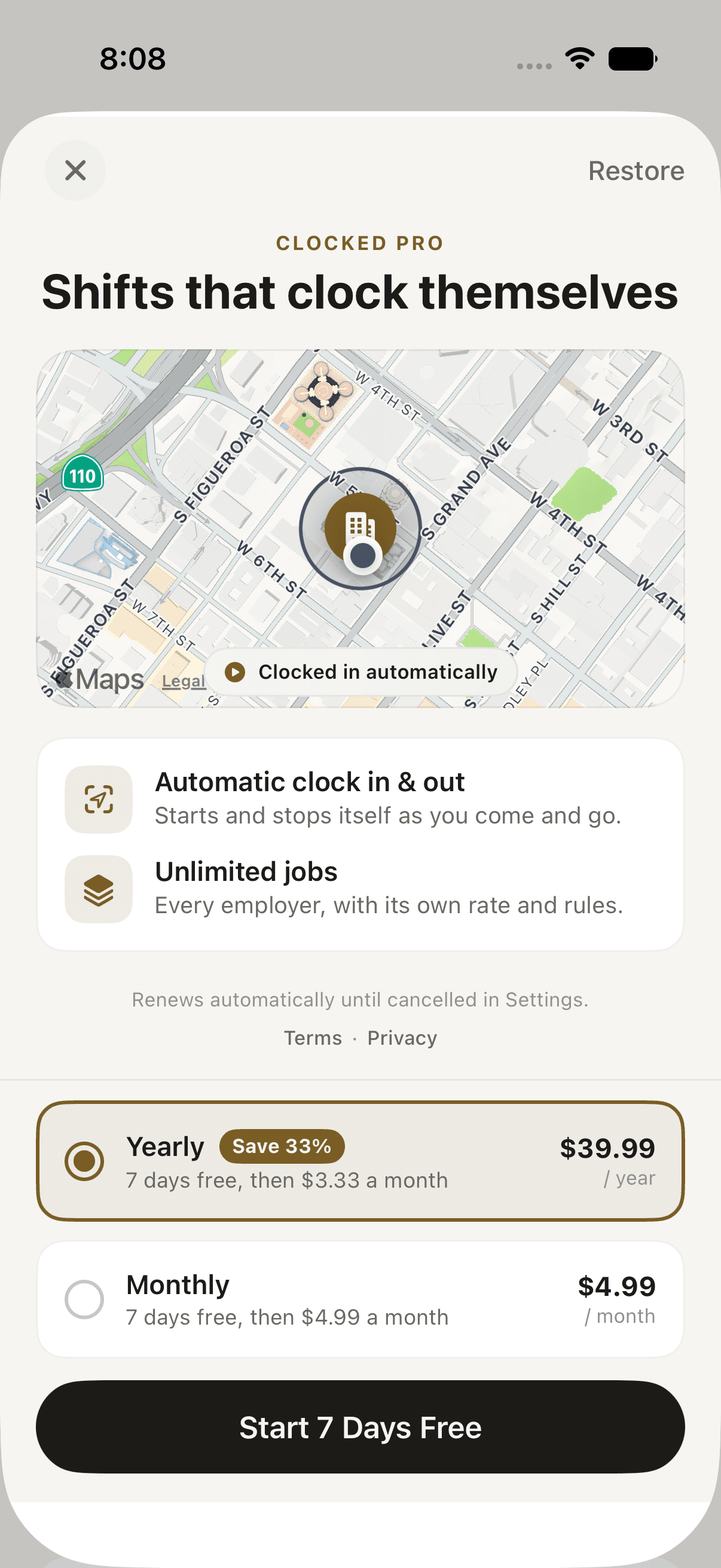
Shifts that clock themselves
Two things, and only two things, are behind Pro. Everything that makes Clocked worth opening on day one stays free.
Features
- Manual clock in, break, resume, clock out
- Live pay while you work
- Overtime and paid breaks
- The full timesheet, CSV export
- Home Screen widget & Live Activity
- The Apple Watch app
- Sync across devices
Clocked Pro
$4.99/moor$39.99/yrSave 33%
7 days free, then the price above. Cancel any time.
Features
- Everything in Free
- Automatic clock in & outStarts and stops itself as you come and go, using geofencing around workplaces you save. No location history, ever.
- Unlimited jobsEvery employer, with its own rate and its own overtime rules.
Auto-renewing subscription, billed to your Apple Account. Cancel any time in Settings or Profile → Clocked Pro. See the Terms of Service.
Your timesheet is a record of your hours and your pay, and it has to survive losing or replacing a phone. Clocked keeps it in an account so it does, and so it shows up on a second device. Sign in with Apple, Google, or an email address. Nothing beyond an email is required.
7 days free, then $39.99 a year or $4.99 a month. It adds two things: automatic clock in/out, and more than one job. Everything else stays free.
Yes, from Profile → Clocked Pro → Manage Subscription in the app, or from Settings → your name → Subscriptions on your iPhone. You keep Pro until the period you already paid for ends.
Only if you turn on automatic clock in for a workplace you saved. Detection is geofencing. iOS tells the app about a boundary crossing, not the other way around. No location history is ever kept, and no coordinate is sent anywhere except the workplaces you saved yourself.
A shared, anonymous board inside the app. Posts are signed with your hourly rate, never your name or employer. It's entirely optional, and your timesheet stays private either way.
Yes, as a CSV, from Profile → Export Timesheet. Free, no limit.
Tap in. See what today is worth.
Free to use, no ads, no trial required to start. Clocked Pro is there when you want shifts that start themselves.
Download on the App Store